Managing Community Types
Navigation Path:
Community → Community Type
Overview:
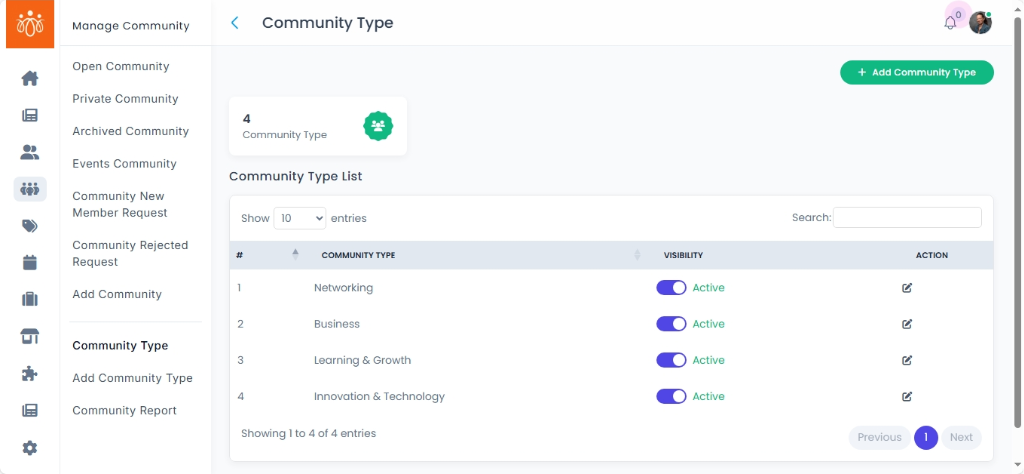
The Community Type section enables administrators to view, organize, and create categories (tags) that classify different communities within the platform. Properly tagging communities helps streamline navigation, improve content relevance, and facilitate targeted engagement.
When to Use:
-
You want to review existing community categories to understand how communities are organized.
-
You need to create a new community type to better categorize emerging or unique groups.
-
You want to maintain consistency and clarity in how communities are labeled across the platform.
Steps to View and Create Community Types:
-
View Existing Community Types
Navigate to Community Type under the Community menu.
Here, you will see a list of existing tags such as Education, Interest Group, Campaign, and others. -
Create a New Community Type
Click on Add Community Type.
In the provided fields, enter the Name of the new community type.
Add a clear, concise Description explaining the purpose or focus of this community type. -
Save Your New Community Type
After filling in the details, click Save to add the new community type to the system.
A confirmation message will notify you that the new community type has been successfully created.
Best Practices:
-
Use descriptive and specific names that clearly define the community’s purpose.
-
Keep descriptions concise but informative to help users understand the category quickly.
-
Avoid duplicating existing community types to maintain organizational clarity.
Tip:
Regularly review and update community types to ensure they evolve with your organization’s needs and continue to support effective community management.