Managing FAQs (Frequently Asked Questions)
Navigation Path:Settings → FAQs
Overview:
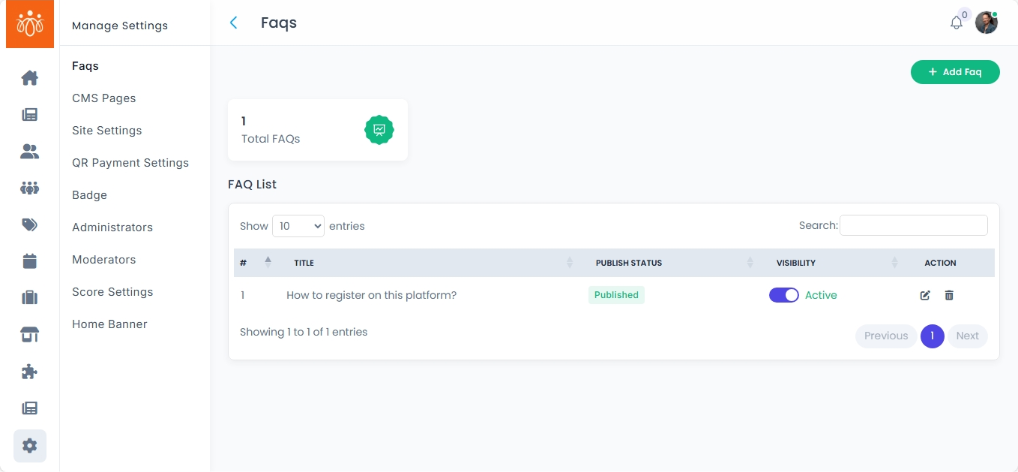
The FAQs section allows admins to manage the list of frequently asked questions and answers that appear in the app’s Help or Support section. This feature helps users quickly find answers to common queries without having to contact support.
When to Use:
-
Adding new FAQs to address common user issues.
-
Updating outdated information.
-
Removing irrelevant or duplicate entries.
Viewing Existing FAQs:
-
Navigate to Settings → FAQs.
-
The list displays:
-
Question – The inquiry or topic.
-
Answer – The corresponding response.
-
Actions – Edit or delete options for each entry.
-
Adding a New FAQ:
-
Click Add FAQ.
-
Enter the following details:
-
Question – Clearly worded so users understand the topic at a glance.
-
Answer – Provide a clear, concise, and accurate response.
-
-
Click Save to publish the FAQ.
-
The new entry will now appear in the app’s Help or Support section.
Editing or Deleting an FAQ:
-
Edit – Click the Edit icon to update the question or answer.
-
Delete – Click Delete to permanently remove an entry from the FAQ list.
Best Practices:
-
Keep answers short, clear, and actionable.
-
Group FAQs by theme (e.g., Payments, Memberships, Technical Support) for better user navigation.
-
Regularly review FAQs to ensure they remain accurate and relevant.