Managing Expired Coupons
Navigation Path:Coupons → Expired Coupons
Overview:
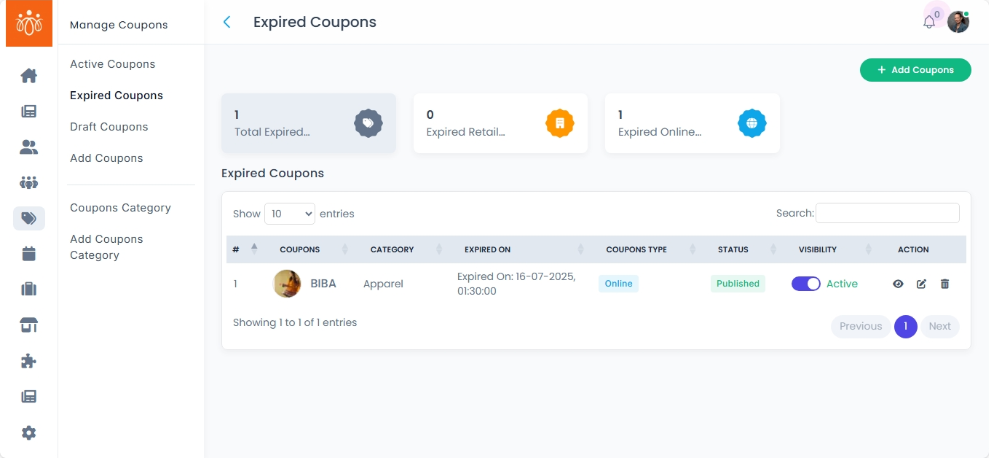
The Expired Coupons section lists all coupons that are no longer valid because their set validity period has ended. This section allows admins to review coupons or clean up old records that are no longer needed.
When to Use:
-
Reviewing past campaign performance.
-
Removing outdated coupons from the system to keep records organized.
Features & Actions:
-
View Expired Coupons List
-
Navigate to Coupons → Expired Coupons.
-
Each coupon entry displays:
-
Coupon – Name of the promotion.
- Category - what category does the coupon belong to
- Expired on - shows when the coupon expired
- coupon type - shows what type of coupon (retail/online)
- Status & Visibility
-
-
-
Delete Coupon Records
-
Click Delete to remove an expired coupon from the system.
-
Confirm the action — this cannot be undone.
-
Best Practices:
- Keep expired coupon records for at least one reporting cycle before deleting.
-
Use expired coupon history to evaluate promotion effectiveness and ROI.