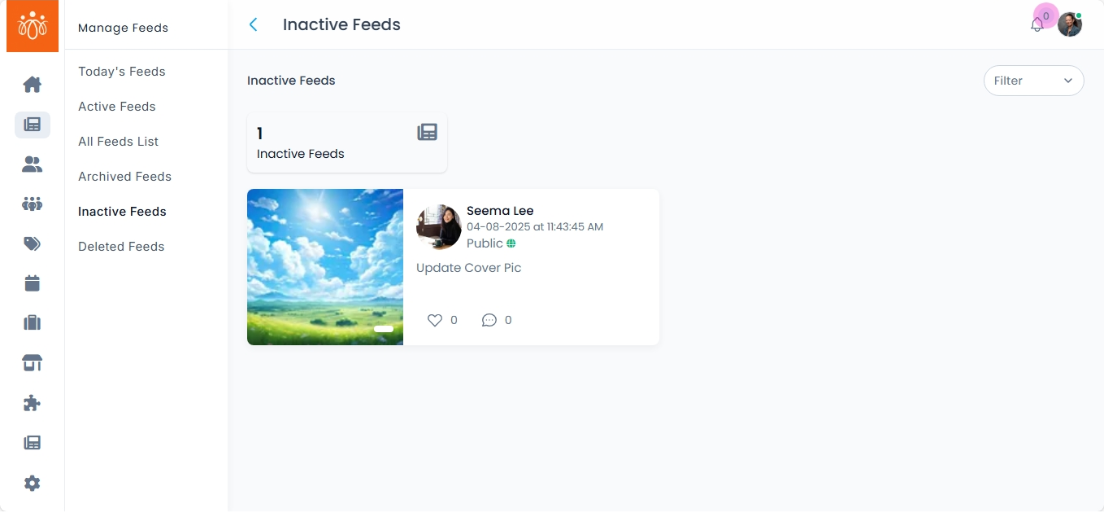
Managing Inactive Feeds
Navigation Path:Feeds → Inactive Feeds
Overview:
The Inactive Feeds section contains posts that have been set to inactive status. These feeds are not visible to members but remain stored in the system, allowing admins to review and reactivate them when necessary.
When to Use:
-
Reviewing content that was previously made inactive for moderation, compliance, or scheduling reasons.
-
Restoring posts that were mistakenly marked inactive.
-
Temporarily hiding seasonal or time-sensitive posts until they are relevant again.
Features & Actions:
-
View Inactive Feeds List
-
Navigate to Feeds → Inactive Feeds.
-
The list shows:
-
Post content
-
Name
-
Date Originally Posted with time
-
Like and comment activity
-
-
-
Review Post Content
-
Click on a feed to review the full post, including attached images, videos, or links.
-
-
Re-activate a Feed
-
Click Revoke to make the post visible to members again.
-
-
Keep Inactive
-
If the post is outdated or not relevant, leave it in the inactive list.
-
Best Practices:
- Use revoke option for posts with ongoing relevance, such as evergreen announcements or resources.
-
Avoid cluttering the active feed with old or repetitive content.