Managing Archived Feeds
Navigation Path:Feeds → Archived Feeds
Overview:
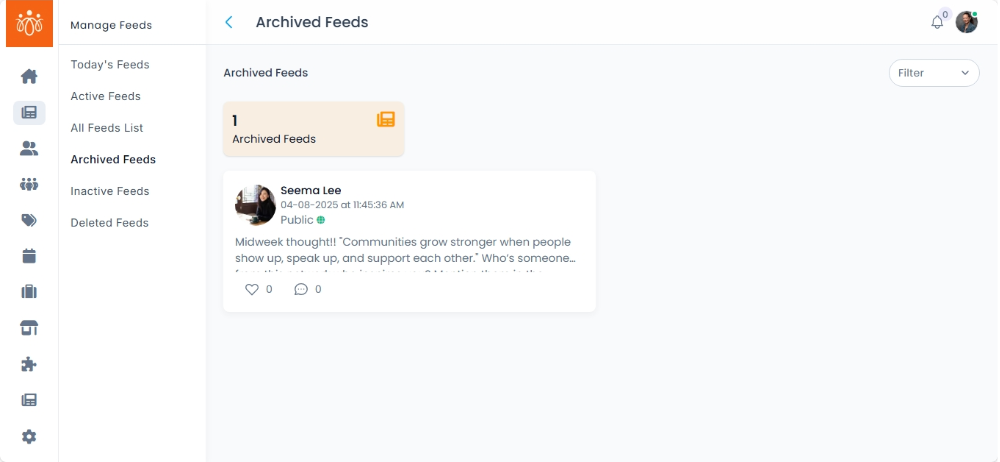
The Archived Feeds section stores posts that have been archived from public view but are still retained in the system for future reference, compliance, or potential reuse. Archiving allows you to keep historical content without displaying it in the active feed.
When to Use:
-
Temporarily hiding posts without deleting them.
-
Retaining past announcements, event promotions, or seasonal content for reuse.
-
Storing content for compliance or record-keeping purposes.
Features & Actions:
-
View Archived Feed List
-
Navigate to Feeds → Archived Feeds.
-
The list will display:
-
Post content
-
Name
-
Original Post Date with time
-
Visibilty
-
-
-
Restore a Feed
-
Click Restore to return the feed to its previous active state.
-
Once restored, it becomes visible to members again.
-
-
Delete a Feed
-
Click Delete to remove the post.
-
Best Practices:
-
Use archiving instead of deletion when content may be needed again in the future.
- Review archived content periodically to delete items that no longer have relevance or value.