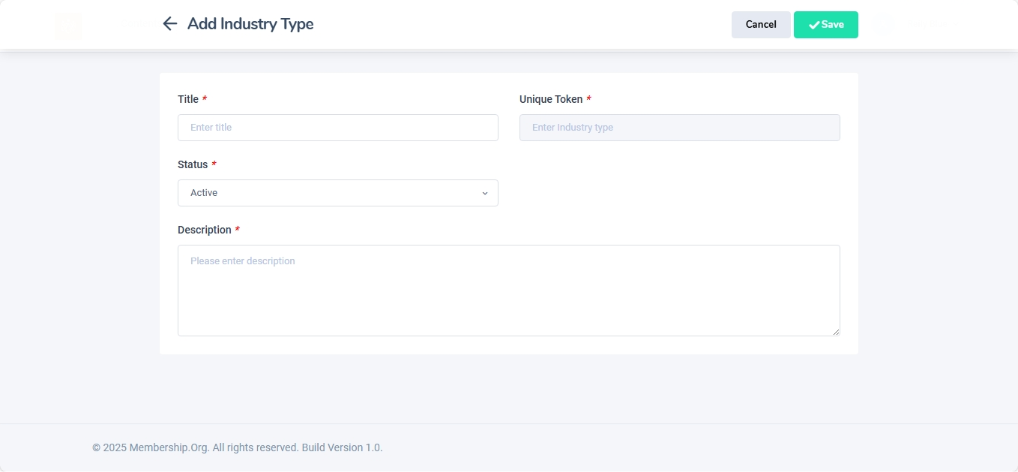
Managing the Add Industry Type Form
Navigation Path:
Jobs → Add Industry Type Form
Overview:
The Add Industry Type Form allows administrators to create new job categories by entering an industry name and description. Adding industry types improves job filtering and organization, making it easier for applicants to find relevant listings based on their sector of interest.
When to Use:
-
You want to expand or update the list of available job categories.
-
You need to create specific industry types to better reflect your organization's job offerings.
-
You want to enhance job search and filtering capabilities for applicants.
Steps to Add a New Industry Type:
-
Access Add Industry Type Form
Navigate to the Add Industry Type Form under the Jobs menu. -
Save the New Industry Type
Click Save to add the industry type to your job categories.
Best Practices:
-
Choose industry names that are widely recognized and specific to reduce ambiguity.
-
Keep descriptions brief but informative to help applicants understand the categories.
-
Regularly review and update industry types to stay aligned with market trends and organizational needs.
Tip:
Use well-defined industry types to facilitate an efficient and user-friendly job search experience for applicants, improving job matching and satisfaction.