Managing Expired Job List
Navigation Path:
Jobs → Expired Job List
Overview:
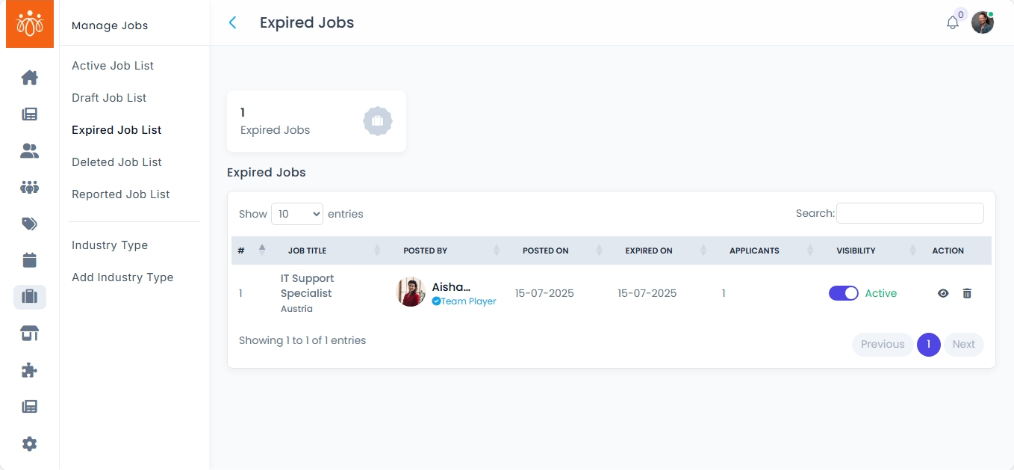
The Expired Job List contains job postings that have passed their application deadlines. This section enables administrators to efficiently manage expired jobs by deleting them to keep the job board organized and up to date.
When to Use:
-
You want to review job postings that are no longer accepting applications.
-
You want to delete job postings that are no longer needed.
Steps to Manage Expired Jobs:
-
Access Expired Job List
Navigate to Expired Job List under the Jobs menu to view all jobs past their application deadline. -
Delete a Job
Use the Delete option to remove the job permanently from the system.
Note: This action is irreversible.
Best Practices:
-
Regularly clean up expired jobs to maintain a relevant and user-friendly job board.
Tip:
Leverage the Expired Job List to efficiently manage job lifecycle stages while keeping your recruitment platform organized and current.