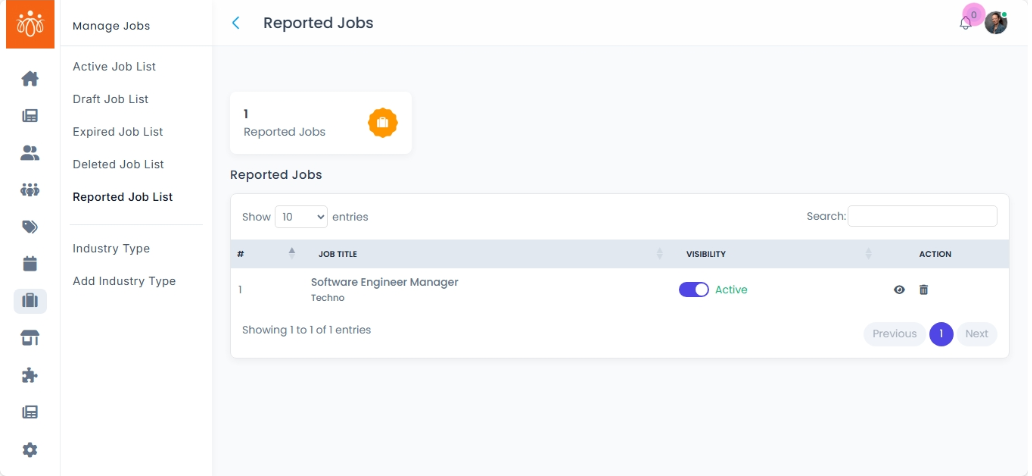
Managing the Reported Job List
Navigation Path:
Jobs → Reported Job List
Overview:
The Reported Job List displays job postings flagged by members for issues such as spam, misinformation, or inappropriate content. This section allows administrators to review reported jobs and take appropriate actions to maintain the quality and trustworthiness of the job board.
When to Use:
-
You want to monitor job listings flagged by users for potential problems.
-
You need to assess the validity of reports and maintain a safe, reliable job platform.
-
You want to remove problematic job posts or clear reports for legitimate listings.
Steps to Manage Reported Jobs:
-
Access Reported Job List
Navigate to Reported Job List under the Jobs menu to view all flagged job posts. -
Review Report Details
Examine each reported job and the reasons provided by users for the report. -
Take Action
-
Click Move to trash to remove jobs that violate platform policies or contain inaccurate information.
-
Best Practices:
-
Respond promptly to reports to maintain community trust and engagement.
-
Investigate reported content carefully before taking action to ensure fairness.
Tip:
Use the Reported Job List as a tool to uphold the integrity of your job board, ensuring that job seekers have access to accurate and trustworthy opportunities!