Managing Industry Types for Job Postings
Navigation Path:
Jobs → Industry Type
Overview:
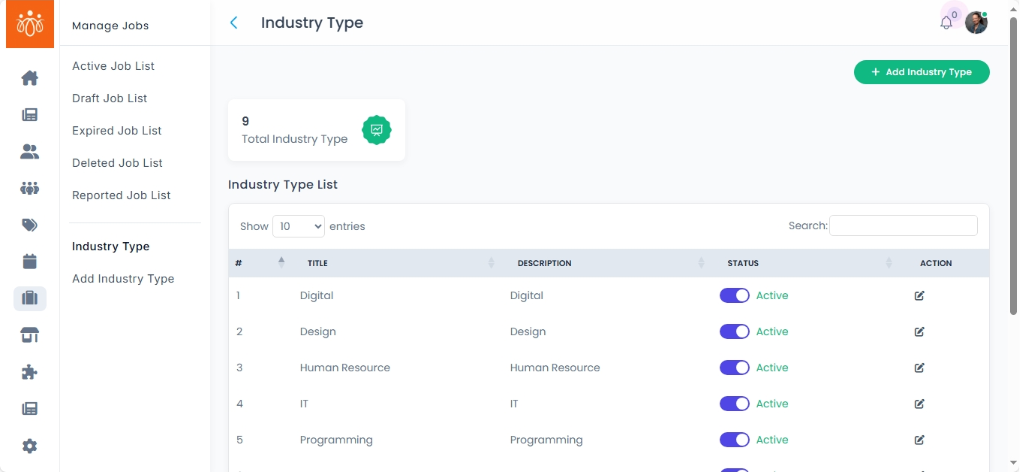
The Industry Type section displays all available job categories such as Education, IT, Manufacturing, and more. This classification helps organize job listings by sector, making it easier for users to find relevant opportunities and for admins to manage job postings effectively.
When to Use:
-
You want to review the existing industry categories available for job listings.
-
You need to assign or update the industry type of a job posting to ensure accurate classification.
-
You want to maintain consistency and ease of navigation within the job board.
Steps to Manage Industry Types for Jobs:
-
Access Industry Types
Navigate to Industry Type under the Jobs menu to see the list of all job categories. -
Add/ Edit New Types
Add new ones or edit to update pre-existing industry types
Best Practices:
-
Regularly review industry categories to ensure they reflect the current job market and organizational needs.
-
Avoid assigning multiple or conflicting industry types to maintain clarity.
Tip:
Use industry types to enhance job searchability and improve the user experience by enabling effective filtering and categorization on the job platform.