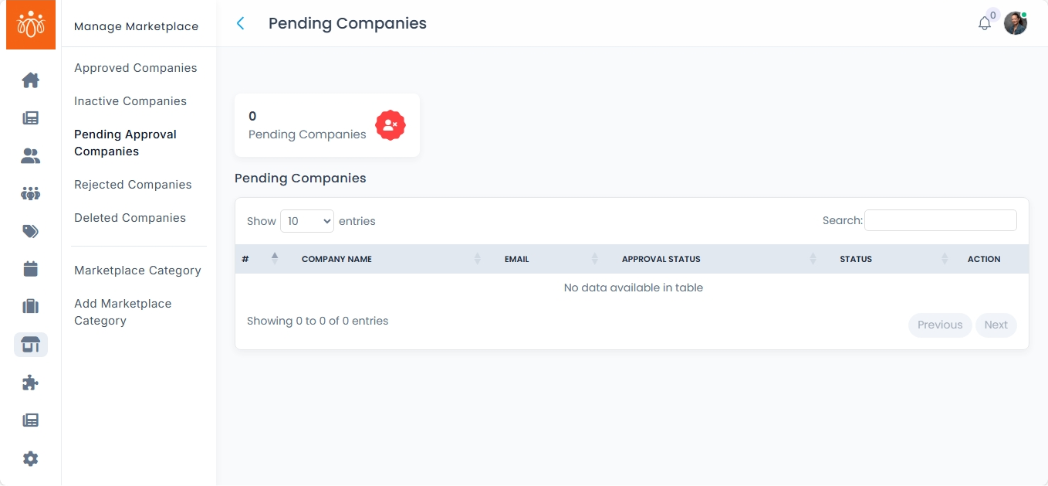
Reviewing Pending Approval Companies in the Marketplace
Navigation Path:Marketplace → Pending Approval Companies
Overview:
The Pending Approval Companies section lists all newly submitted company profiles that have not yet been approved for display in the marketplace. As an admin, you are responsible for reviewing these submissions to ensure they meet Jumbow’s guidelines and quality standards before they become visible to the public.
When to Use:
-
A new company registers on the platform.
- You are conducting periodic checks to manage the approval queue.
Steps to Review & Take Action:
-
Access the Pending List
-
From the left-hand navigation, go to Marketplace → Pending Approval Companies.
-
A table/list will display all companies awaiting approval.
-
-
View Company Details
The pending approval companies list displays the following details about each company: Company name, contact information (email, mobile number), approval status and status (active/inactive).Click the View button next to the company name.
Review details including:
- About marketplace: Date of creation, Address, Description, Name of the owner, s, Total calls initiated, Total Profile visits and Today Leads
- Recent Leads: Profile, date, details and message
- Company Enquiry: Profile name, date, contact details and message
- Product Enquiry: Profile name, date, contact details and message
- Profile Viewed: Profile name, date, time and contact details (email & mobile number)
- Products: Product name, price, description and status
- Services: Description and details
- Catalogue: Title and catalogue attachments
-
Approve the Company
-
If all details meet the approval criteria, click Approve.
-
The company becomes visible in the marketplace.
-
-
Reject the Company
-
If the listing does not meet guidelines, click Reject.
-
Provide a reason for rejection in the prompt (e.g., incomplete information, non-compliance).
-
The company will receive a notification with the rejection reason and instructions for resubmission.
-
Best Practices:
-
Always cross-check company details against required fields before approval.
-
Use consistent, clear reasons when rejecting to help companies improve their submissions.
-
Approve only companies that adhere to your marketplace policy and legal requirements.