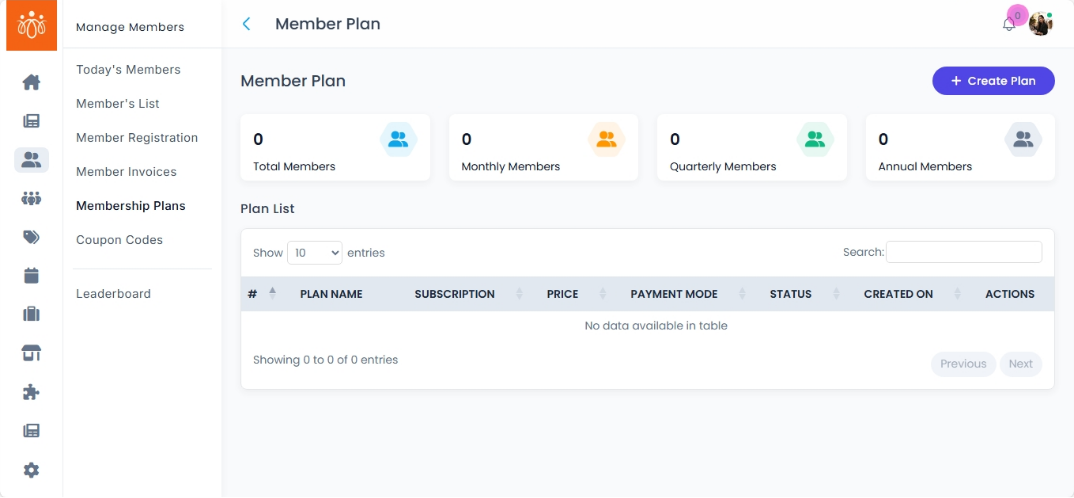
Viewing and Creating Membership Tiers
Navigation Path:Members → Membership Plans
Overview:
The Membership Plans section allows admins to view, create, and manage all available membership tiers on the platform. These tiers define the duration, pricing, benefits, and access levels for members. Common examples include Monthly, Annual, and Lifetime memberships.
When to Use:
-
Reviewing current membership offerings.
-
Updating pricing or benefits for existing plans.
-
Adding new plans to target different member segments.
Viewing Existing Plans:
-
Navigate to Members → Membership Plans.
-
Review the list of all active plans.
-
Each plan displays:
-
Plan Name (e.g., Monthly, Annual)
-
Duration (e.g., 30 days, 1 year, lifetime access)
-
Price (e.g., $10/month, $100/year)
-
Access Features included in the plan.
-
Creating a New Membership Plan:
-
Click Add Plan.
-
Enter the following details:
-
Plan Name – A short title for the membership tier (e.g., Premium Annual, Student Monthly).
-
Duration – The membership period (e.g., 30 days, 365 days, lifetime).
-
Price – The cost of the membership for the set duration.
-
Description – A clear explanation of what the plan includes.
-
Access Features – Specific benefits, modules, or resources available to members in this plan.
-
-
Click Save to activate the plan.
-
The new plan will now appear in the list and be available for selection during member registration.
Best Practices:
-
Keep plan names short and descriptive for easy selection.
-
Ensure pricing and duration are clearly communicated to avoid confusion.
-
Regularly review plan features to stay competitive and relevant to member needs.