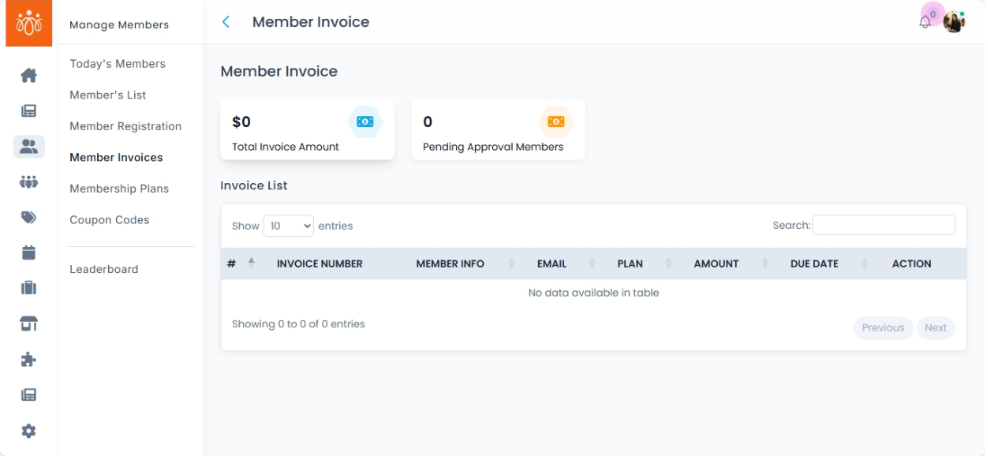
Viewing a Member’s Invoices and Billing History
Navigation Path:Members → View → Invoices tab
Overview:
The Invoices tab in a member’s profile displays their complete billing history. This includes all financial transactions linked to the member account, such as membership fees, event registrations, product purchases, and renewal payments. Admins can use this section to track payment records, resolve billing queries, and verify outstanding balances.
When to Use:
-
Checking a member’s payment history for support or audit purposes.
-
Confirming whether membership fees or event charges have been paid.
-
Reviewing past invoices for disputes or corrections.
Features & Actions:
-
View Billing History
-
Navigate to Members, search for and select the member.
-
Open the Invoices tab in their profile.
-
Review a chronological list of invoices with details such as:
-
Invoice number
-
Date issued
-
Payment method
-
Amount paid or outstanding
-
Payment status (Paid, Pending, Overdue)
-
-
-
Invoice Types Displayed
-
Membership Fees – Initial subscription or renewal charges.
-
Event Payments – Registrations and participation fees.
-
Product/Service Purchases – Any marketplace or platform purchases.
-
Renewal Records – Recurring billing cycles for ongoing memberships.
-
-
Export or Print Invoices
-
Some platforms allow admins to export invoice data for record-keeping.
-
Click the print or export icon if available to download a PDF/CSV copy.
-
Best Practices:
-
Review billing history before addressing payment-related support tickets.
-
Cross-check overdue invoices to follow up with the member promptly.
-
Keep invoice records secure for compliance and auditing purposes.